
Demo
Download
Welcome to my new Codeigniter tutorial for Facebook Login. I assume that you are familar with Codeigniter framework before starting the tutorial. However, you can adopt the source code to use in native PHP application if you are not interested in CI. There is another alternative. Previously, I have published two posts related with Facebook Login. You can also refer those tutorials.
Facebook OAUTH dialog with new Graph API
AJAX Facebook Connect Demo
First you need to create a Facebook application.
Visit this link to create new app.
This is a straight-forward process.
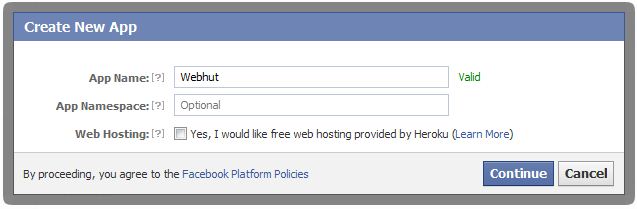
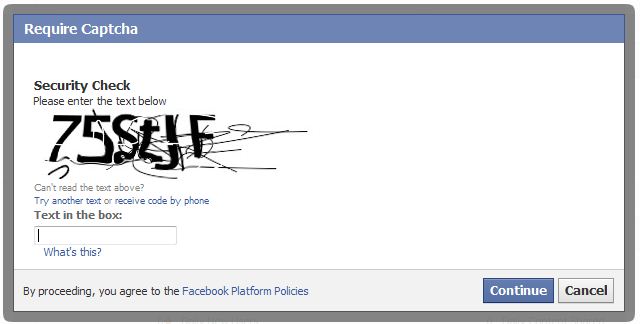
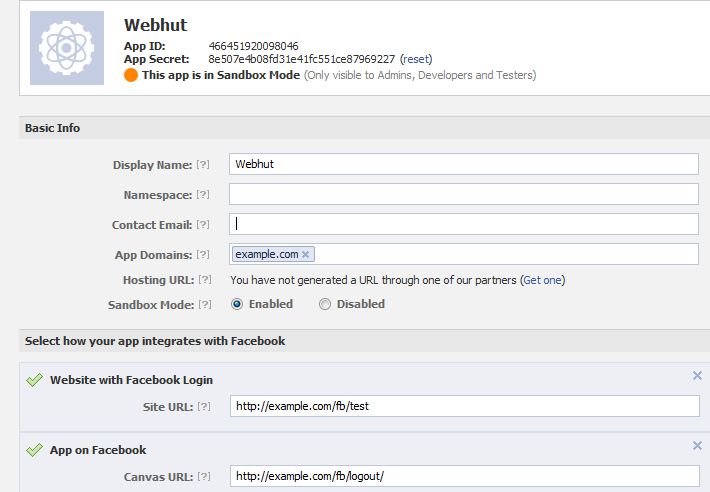
You need to get the App ID and App Secret of your application.
First create a config file to store App ID and App Secret.
config_facebook.php
[sourcecode language="php"]
$config['appID'] = '135042780009818';
$config['appSecret'] = 'c8786043eaf9339d28568520a18b2d2f';
[/sourcecode]
Add a controller that handles Facebook login and logout.
fb.php
[sourcecode language="php"]
<?php
if (!defined('BASEPATH'))
exit('No direct script access allowed');
//include the facebook.php from libraries directory
require_once APPPATH . 'libraries/facebook/facebook.php';
class Fb extends CI_Controller {
public function __construct() {
parent::__construct();
$this->config->load('config_facebook');
}
public function index() {
$this->load->view('head');
$this->load->view('fb');
$this->load->view('footer');
}
public function logout() {
$signed_request_cookie = 'fbsr_' . $this->config->item('appID');
setcookie($signed_request_cookie, '', time() - 3600, "/");
$this->session->sess_destroy(); //session destroy
redirect('/fb/index', 'refresh'); //redirect to the home page
}
public function fblogin() {
$facebook = new Facebook(array(
'appId' => $this->config->item('appID'),
'secret' => $this->config->item('appSecret'),
));
// We may or may not have this data based on whether the user is logged in.
// If we have a $user id here, it means we know the user is logged into
// Facebook, but we don't know if the access token is valid. An access
// token is invalid if the user logged out of Facebook.
$user = $facebook->getUser(); // Get the facebook user id
$profile = NULL;
$logout = NULL;
if ($user) {
try {
$profile = $facebook->api('/me'); //Get the facebook user profile data
$access_token = $facebook->getAccessToken();
$params = array('next' => base_url('fb/logout/'), 'access_token' => $access_token);
$logout = $facebook->getLogoutUrl($params);
} catch (FacebookApiException $e) {
error_log($e);
$user = NULL;
}
$data['user_id'] = $user;
$data['name'] = $profile['name'];
$data['logout'] = $logout;
$this->session->set_userdata($data);
redirect('/fb/test');
}
}
public function test() {
$this->load->view('test');
}
}
/* End of file fb.php */
/* Location: ./application/controllers/fb.php */
[/sourcecode]
In this tutorial, I'm using Facebook JavaScript SDK to load the oauth dialog. You need to add the App ID in following code to initiate the SDK successfully.
[sourcecode language="javascript"]
<img src="<?php echo base_url('assets/images/facebook.png');?>" id="facebook_login">
<script type="text/javascript">
window.fbAsyncInit = function() {
//Initiallize the facebook using the facebook javascript sdk
FB.init({
appId:'<?php $this->config->load('config_facebook'); echo $this->config->item('appID');?>',
cookie:true, // enable cookies to allow the server to access the session
status:true, // check login status
xfbml:true, // parse XFBML
oauth : true //enable Oauth
});
};
//Read the baseurl from the config.php file
(function(d){
var js, id = 'facebook-jssdk', ref = d.getElementsByTagName('script')[0];
if (d.getElementById(id)) {return;}
js = d.createElement('script'); js.id = id; js.async = true;
js.src = "//connect.facebook.net/en_US/all.js";
ref.parentNode.insertBefore(js, ref);
}(document));
//Onclick for fb login
$('#facebook_login').click(function(e) {
FB.login(function(response) {
if(response.authResponse) {
parent.location ='<?php echo base_url('fb/fblogin'); ?>'; //redirect uri after closing the facebook popup
}
},{scope: 'email,read_stream,publish_stream,user_birthday,user_location,user_work_history,user_hometown,user_photos'}); //permissions for facebook
});
</script>
[/sourcecode]


